
The Long-Distance Caregiving Technology Guide
Last Updated: November 5, 2026
Quick Summary
Long-distance caregiving technology is the category of connected devices and apps that let you observe, communicate with, and respond to an aging parent’s needs without being physically present. It compresses distance rather than replacing presence: a camera does not prevent a fall, and a sensor does not make loneliness disappear. Start with a care needs assessment, then choose the smallest device that addresses your top risk.
- Complete a care needs assessment covering mobility, medication, cognition, emergency response, and social contact before buying any device.
- Score each device 1-5 on care need, setup effort, accessibility fit, ongoing cost, and who receives alerts.
- Set up one device, use it for two weeks, then add the next to avoid abandoned hardware.
- A cellular medical alert base with battery backup keeps working when home internet and power fail.
- Test your backup chain once a quarter, including unplugging the router and running a scheduled alert test.
Table of Contents
- What Long-Distance Caregiving Technology Actually Solves
- How to Choose Remote Monitoring Devices for Seniors
- Medical Alert Systems for Seniors: What Separates a Good Choice From a Costly One
- Caregiving Apps for Families That Reduce App Overload
- Sharing Caregiving Responsibilities With Siblings Across Time Zones
- Privacy, Consent, and Data Sharing Before You Install Anything
- When the Technology Fails: Backup Plans and Emergency Response
- Build Your Parent’s Care Technology Plan With ElderLivingHub
- Frequently Asked Questions
What Long-Distance Caregiving Technology Actually Solves
Long-distance caregiving technology is the category of connected devices and apps that let you observe, communicate with, and respond to an aging parent’s needs without being physically present. This guide from ElderLivingHub covers what these tools genuinely fix and what they cannot replace. (Source: Statista’s 2026 projections on smart home device adoption)
The honest version most guides skip: a camera does not prevent a fall, and a sensor does not make loneliness disappear. What caregiving technology does well is compress distance, turning “I hope she’s okay” into a specific answer you can check in seconds.
Below, we break down how to assess needs first, choose devices that match them, and build backup plans for when a device drops offline.
Start With a Care Needs Assessment, Not a Shopping List
A care needs assessment is a structured review of what your parent can still do independently, where they struggle, and which risks matter most. Complete it before you open a single product page.
Walk through these areas with your parent, in person or over video:
- Mobility – Can they rise from a chair, navigate stairs, and reach the bathroom at night without help?
- Medication – Do they manage multiple prescriptions, and have they missed doses?
- Cognition – Are there signs of confusion with dates, bills, or familiar routes?
- Emergency response – If they fell right now, who would they reach, and how?
- Social contact – How many conversations do they have in a typical week?
Write down one or two specific risks per area. That list becomes your selection filter and stops you from buying a device that solves a problem your parent does not have.
How to Choose Remote Monitoring Devices for Seniors
Choose remote monitoring devices for seniors by matching each device to a documented care need, your parent’s comfort with technology, and your budget for ongoing fees.

A common mistake is buying a full suite at once. Families install five devices, the parent finds three intrusive, and two end up unplugged within a month.
If you are still building your understanding of what remote monitoring involves, our step-by-step guide to monitoring elderly parents remotely walks through the practical setup before you commit to hardware.
A Selection Framework You Can Actually Use
Most families do not need a product ranking; they need a way to decide. Use this five-column filter for every device:
- Care need addressed, Which specific risk from your needs assessment does this solve? If you cannot name it in one sentence, skip the device.
- Setup effort, Does it require Wi-Fi credentials, a smartphone, drilling, or a professional installer? A device that needs a ladder and a password reset is less likely to stay online.
- Accessibility fit, Can your parent see the screen, hear the alert, press the button, and remember the routine? Check font size, volume, button size, and whether it works without a smartphone.
- Ongoing cost, Separate hardware price from monthly fee. A $40 sensor with a $25 monthly plan costs more over two years than a $200 device with no subscription.
- Who receives alerts, You, a sibling, a monitoring center, or all three? Confirm the order and escalation path before you rely on it.
Score each device 1-5 on those five columns. Anything low on accessibility fit or alert routing is a poor choice no matter how good the hardware is.
Match the Device to the Need
- Fall risk or nighttime wandering, A medical alert pendant with fall detection and a cellular base, plus a bed-exit sensor if wandering is the concern. Skip cameras in bedrooms and bathrooms.
- Missed medications, A locked or timed dispenser with an app alert beats a generic pillbox reminder your parent can ignore.
- Isolation or routine changes, A simple video-calling device (a tablet or smart display) that answers without your parent dialing is often more useful than a passive sensor.
Costs, Insurance, and Financial Assistance
Remote monitoring costs vary widely, so budget by category rather than by brand. Pricing depends on the device, the service plan, and any equipment or activation fees, and it changes over time.
Coverage for personal emergency response systems and monitoring devices varies by insurer, plan, and state program. Check your parent’s plan documents with the insurer and your state’s official Medicaid resources before assuming coverage.
Accessibility and Digital Literacy
A device your parent cannot use is a device you will manage for them, which defeats the purpose. Before buying, confirm:
- Vision: large text, high-contrast screens, and audio alternatives to visual alerts.
- Hearing: adjustable volume, vibration alerts, and visual notifications for people with hearing loss.
- Dexterity: large buttons, no tiny toggles, and no need to hold a button down.
Onboard slowly. Set up one device, use it for two weeks, then add the next. A parent who has mastered one tool is far more willing to try a second.
Avoid App Overload and Check Interoperability
Every device with its own app adds a password, a notification stream, and a place for information to go stale. Before adding a device, ask whether it can feed into a tool you already check.
When you are ready to browse specific hardware, our home safety and monitoring reviews compare cameras, door sensors, and activity systems by ease of use for both seniors and remote caregivers.
Motion Sensors, Activity Monitoring, and What They Can and Cannot Tell You
Motion sensors are small devices that detect movement in a room and report activity patterns to an app. They can tell you whether your parent got out of bed, entered the kitchen, or opened the front door.
What they cannot tell you is why. A quiet morning might mean a late sleep, a hospital trip, or a dead battery. Treat activity data as a prompt to call, never as a diagnosis.
- Useful for: spotting changes in daily routine, night-time bathroom trips, long periods with no movement
- Poor fit for: bathrooms and bedrooms where privacy matters most
- Watch out: a sensor that only reports to an app you check sporadically adds anxiety without adding safety. Set alert thresholds you will actually act on.
Medical Alert Systems for Seniors: What Separates a Good Choice From a Costly One
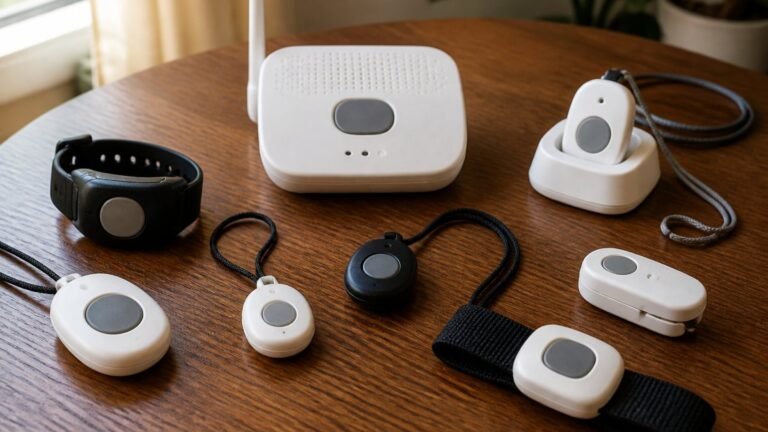
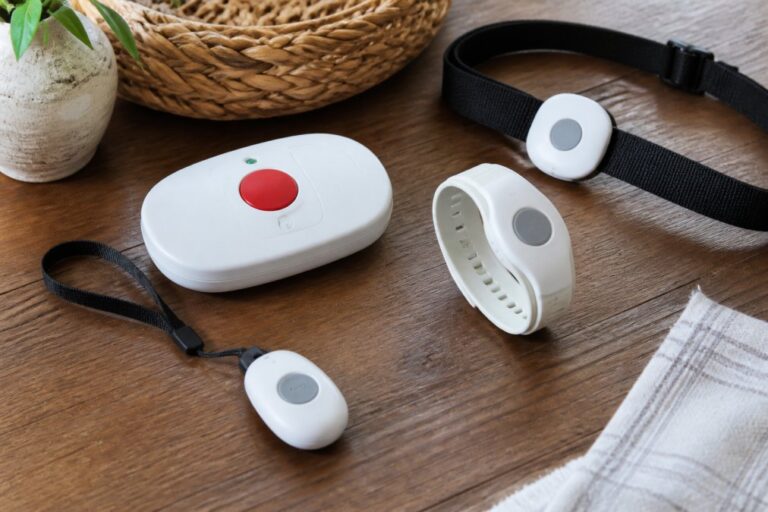
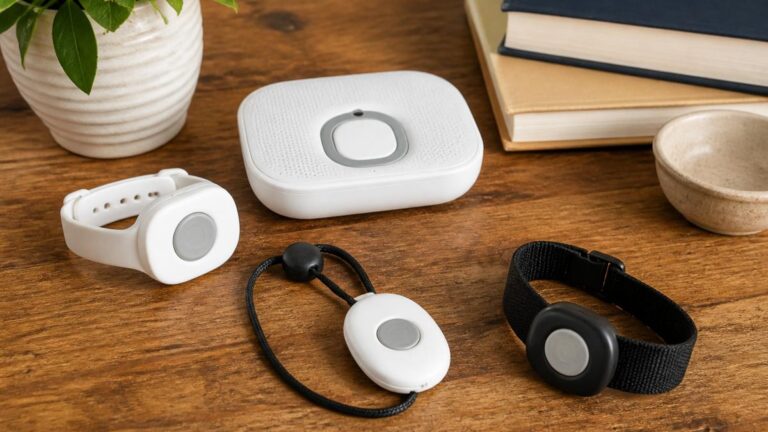
The best medical alert system for a senior is generally the one they will wear consistently and press in a real emergency.
Four factors separate a sound choice from an expensive mistake:
- Wearability – A pendant that clips to a waistband gets left in the bathroom. A shower-safe wristband or necklace gets worn.
- Response model – Does the alert reach a monitored response center, a family contact, or both? Confirm the order.
- Fall detection – Useful but imperfect. It can miss slow slides from a chair and trigger on a dropped device. Treat it as a supplement to the button, not a replacement.
Watch out: the cheapest headline monthly rate is often the one with the longest contract. Read the cancellation clause before you sign.
Our medical alert system comparisons lay out these terms side by side so you can see the total cost of ownership rather than the advertised rate.
Caregiving Apps for Families That Reduce App Overload
Caregiving apps for families consolidate the scattered pieces of care, schedules, medications, appointments, and updates, into one shared place. The goal is fewer apps, not more.
A practical setup uses three tools at most:
- A shared calendar for appointments, aide visits, and medication refill dates
- A shared digital folder for the medication list, insurance documents, and the patient portal login
- A messaging thread for daily check-ins and health updates
Resist adding a fourth. Every extra app is another password your parent may need help with and another place information can go stale. If a dedicated caregiving app covers all three functions well, use one instead of three.
Sharing Caregiving Responsibilities With Siblings Across Time Zones
Splitting caregiving responsibilities with siblings works when duties are assigned by strength and schedule, not by guilt. A sibling three time zones away can still own the medication list and the insurance calls.
Try this division:
- The local sibling handles in-person visits, errands, and anything requiring physical presence
- The remote sibling owns scheduling, records, and coordination with health professionals
- Whoever has the steadiest evenings runs the daily check-in call
Write the split down and put it in the shared folder. Ambiguity is what turns siblings into adversaries. Revisit the arrangement whenever your parent’s care needs change.
Privacy, Consent, and Data Sharing Before You Install Anything
Talk to your parent about what will be monitored, who sees the data, and when, before any device goes on the wall. Monitoring a cognitively healthy adult without their agreement damages trust, and that trust is harder to rebuild than any device is to install.
Cover these points in one conversation:
- Which rooms will have sensors or cameras, and which are off limits
- Who has app access, and how alerts are shared
- How long recorded data is kept, and how to delete it
For a parent with dementia, consent and privacy need more careful handling, and our guide to smart home devices for dementia care covers those considerations in depth.
When the Technology Fails: Backup Plans and Emergency Response
Every device fails eventually, and a monitoring system with no fallback is a single point of failure. Build the backup before you need it.
Know the Failure Modes
Most monitoring failures are not dramatic. They are quiet:
- Power outage, Wi-Fi cameras and sensors go dark; a cellular medical alert base with battery backup keeps working for a limited time.
- Internet outage, Cloud-connected devices stop reporting even though the power is on, and your parent may not notice.
- Dead battery or unplugged device, A sensor gets moved during cleaning or a pendant is left on the charger. The app shows “offline” and no one checks.
Each of these has a different fix, which is why a single backup layer is not enough.
Build the Chain in Order
Layer these so that no single failure removes all coverage:
- A printed contact list by the landline and on the refrigerator, with important phone numbers in large type. This works when nothing else does.
- A neighbor or local support network who can check in person within minutes. Give them a key or lockbox code and a written escalation script.
- A medical alert device with its own cellular connection, independent of home internet, with confirmed battery backup duration.
- A scheduled daily check-in call that triggers a welfare call if unanswered. Assign a specific person and backup.
- A written escalation plan that says who is called first, second, and third, and at what interval.
Test the Chain on a Schedule
A backup plan you have never tested is a guess. Test once a quarter:
- Unplug the router and confirm the cellular alert still reaches you.
- Let a sensor battery run low and confirm you get a low-battery notification before it dies.
- Have your parent press the medical alert button during a scheduled test and confirm the monitoring center calls the right person in the right order.
If a step fails, you have found the gap on your terms rather than during an emergency.
Design the Escalation So It Does Not Stop With You
A common pattern is that alerts route to one adult child who is sometimes unavailable. Set a secondary contact and a time limit: if the first contact does not acknowledge within a set window, the alert moves to the next person. Confirm with your monitoring provider that this escalation is configured, and write the order down where the whole family can see it.
What Monitoring Cannot Guarantee
No device prevents a fall, and no sensor guarantees someone will respond. Monitoring reduces the time between an incident and a response; it does not eliminate the incident.
Our senior safety technology guide covers building these layers in more detail.
Most monitoring failures are quiet, so build the backup chain in this order before you need it.
| Layer | What it is | Why it works when others fail |
|---|---|---|
| Printed contact list | Numbers in large type by the landline and refrigerator | Works when nothing else does |
| Neighbor or local support network | Someone who can check in person within minutes | Give them a key or lockbox code and escalation script |
| Medical alert device | Own cellular connection, independent of home internet | Confirm battery backup duration |
| Scheduled daily check-in call | Triggers a welfare call if unanswered | Assign a specific person and backup |
| Written escalation plan | Who is called first, second, third, and at what interval | Keeps alerts from stopping with one person |
Build Your Parent’s Care Technology Plan With ElderLivingHub
The hardest part of long-distance caregiving is not choosing a device.
At ElderLivingHub, we review senior care technology independently, with an eye on ease of use for both the senior wearing it and the adult child managing it from another state.
Start with our home safety and monitoring reviews, then build a plan you can revisit as your parent’s needs evolve.
Frequently Asked Questions
What technology can help with long-distance caregiving?
Most families combine three layers: a medical alert system for emergencies, passive remote monitoring devices for seniors that track activity and send smartphone alerts, and a shared caregiving app for schedules, medication lists, and health updates. Add a video calling setup your parent can answer without help. The right mix depends on your parent’s mobility, memory, and comfort with mobile technology, so assess care needs first and buy only what closes a specific gap.
How can I check on an aging parent who lives far away without calling constantly?
Passive monitoring reduces the need for check-in calls. Motion sensors and door contacts send safety alerts only when something looks unusual, such as no movement in the kitchen by mid-morning. Pair that with a scheduled daily check-in and a shared calendar so siblings know who is calling when. This keeps you informed without turning every conversation into a welfare check, which matters for your parent’s sense of independence.
How can siblings share caregiving responsibilities from a distance?
Assign ownership rather than splitting everything. One sibling handles medical appointments and the patient portal, another manages medication reminders and refills, a third coordinates the local support network of neighbors and home care aides. Put it all in one shared digital folder with the medication list, important phone numbers, and insurance documents. A shared calendar and a short weekly call keep the care team aligned without duplicating work.
What should I consider before installing a monitoring device in a parent’s home?
Talk with your parent first and get clear consent, including who sees the data and what triggers an alert. Check whether the device needs home Wi-Fi, whether it works during a power outage, and whether the monthly fee covers alerts or just equipment. Confirm the device fits your parent’s digital access and dexterity, and test it together before you rely on it. A tool your parent resents or cannot operate will get unplugged.
Can smart home technology help an older adult live independently?
Yes, when it targets a real risk rather than adding novelty. Motion sensors, a video doorbell, automatic stove shutoff, and a medical alert device with fall detection address the most common reasons families consider moving a parent out of the home. The trade-off is setup complexity and monthly fees, so choose devices that work together and that your parent can use without a smartphone if needed.
Do medical alert systems for seniors work if my parent doesn’t carry a phone?
Many in-home medical alert systems use a base station with a speakerphone and a wearable pendant or wrist button that connects through the home phone line, cellular network, or internet, so no smartphone is required. Confirm which connection type the system uses and whether it has a cellular backup. Check the wearable’s battery life and range, and ask how the monitoring center reaches you as the emergency contact.