
How to Budget for Alexa Costs for Seniors
Last Updated: November 7, 2026
Quick Summary
Basic Alexa use does not require a monthly subscription, so alexa costs are usually just a one-time device purchase plus free voice features. Monthly fees only apply if you add optional paid services, such as care subscriptions or separate medical alert services. Confirm current availability and pricing with each provider before you budget.
- Separate the three cost layers: the device, free basic Alexa features, and optional paid services.
- Do not budget for Alexa Together, since it is no longer sold.
- A standard Echo device cannot detect a fall on its own.
- Start with monthly billing on a care subscription and switch to annual only after testing it.
- Internet service and dedicated medical alert fees sit outside the device-and-subscription math.
Table of Contents
- What Alexa Actually Costs for Seniors Each Month
- Understanding the Alexa Monthly Subscription Cost
- How to Choose the Best Alexa for Seniors
- Alexa for Seniors Who Fall: What It Can and Cannot Do
- The Best Alexa for Seniors With Dementia
- Total First-Year Cost: A Realistic Example
- Privacy, Consent, and Data Handling You Should Know
- How to Set Up Alexa for a Parent Who Lives Far Away
- Frequently Asked Questions
What Alexa Actually Costs for Seniors Each Month
The short answer: basic Alexa use does not require a monthly subscription. You buy the device once, connect it to Wi-Fi, and the voice assistant’s core features work without a subscription. At ElderLivingHub, we explain this to families every week, because the confusion around how much does Alexa cost per month for seniors usually comes from mixing up three separate costs: the device, the free voice features, and optional paid services.
Here is the breakdown that matters:
- Device cost: a one-time purchase, paid once
- Basic Alexa features: free, no monthly fee
- Paid add-ons: optional subscriptions for extra care features
Most families we hear from assume there is a monthly bill attached to Alexa itself. There isn’t. The monthly question only becomes real when you add a care-focused service on top.
Free Features vs. Paid Services
Free Alexa features cover most daily needs for an older adult. That includes voice commands, reminders, timers, weather, music, calling, and hands-free assistance around the home.
Some optional paid services add caregiver features. Check each provider’s current offering before you subscribe. The key budgeting lesson: decide which care features you actually need before you assume alexa costs include a monthly fee.
Understanding the Alexa Monthly Subscription Cost
Alexa monthly subscription cost depends on which optional service you add. Confirm current availability and pricing with the provider before you budget.
Before you budget, separate the three layers:
| Cost Layer | What It Covers | Billing Type |
|---|---|---|
| Device | The Echo speaker or display | One-time |
| Basic Alexa | Voice commands, reminders, calling | Free |
| Care subscription | Check-ins, activity alerts, urgent response | Monthly or annual |
When you compare plans, always ask three questions: Is this service still available? Does it require a specific device? Can I cancel without penalty? Service availability shifts, so confirm current status directly with the provider before you commit.
What Happened to Alexa Together
If a guide quotes you a monthly fee for Alexa Together, treat that figure as historical. The practical takeaway is simple: do not budget for a service that is no longer sold. Instead, look at what care features are available today and price those directly with the provider.
What Replaced It and What to Price Instead
Feature sets and prices for Alexa subscriptions can vary by plan and account. Check the current plan directly in the Alexa app or on the provider’s website before you commit.
A practical way to compare today’s options:
- Alexa-only care features: reminders, Drop In, announcements, and routines are free with the device. No subscription is required for these.
- Paid Alexa subscription tiers: these bundle music, additional features, and some enhanced capabilities. Confirm which care-relevant features are included before paying, because the bundle is not marketed primarily as a senior-care product.
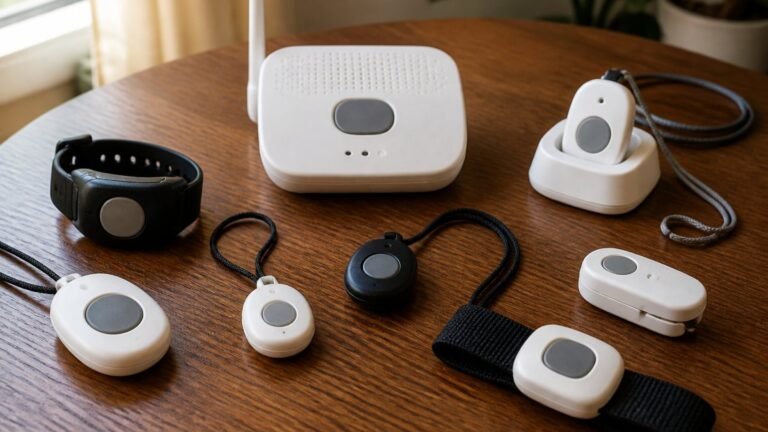
- Dedicated medical alert services: separate companies sell fall detection and 24/7 urgent response. These carry their own monthly fees and equipment costs, and they are not Alexa subscriptions.
How to Choose the Best Alexa for Seniors
The right Alexa device for an older adult depends on whether they need a screen, how much they will use video calling, and where the device will sit in the home. A smart speaker suits voice-only use, while a smart display adds video calls and on-screen reminders.
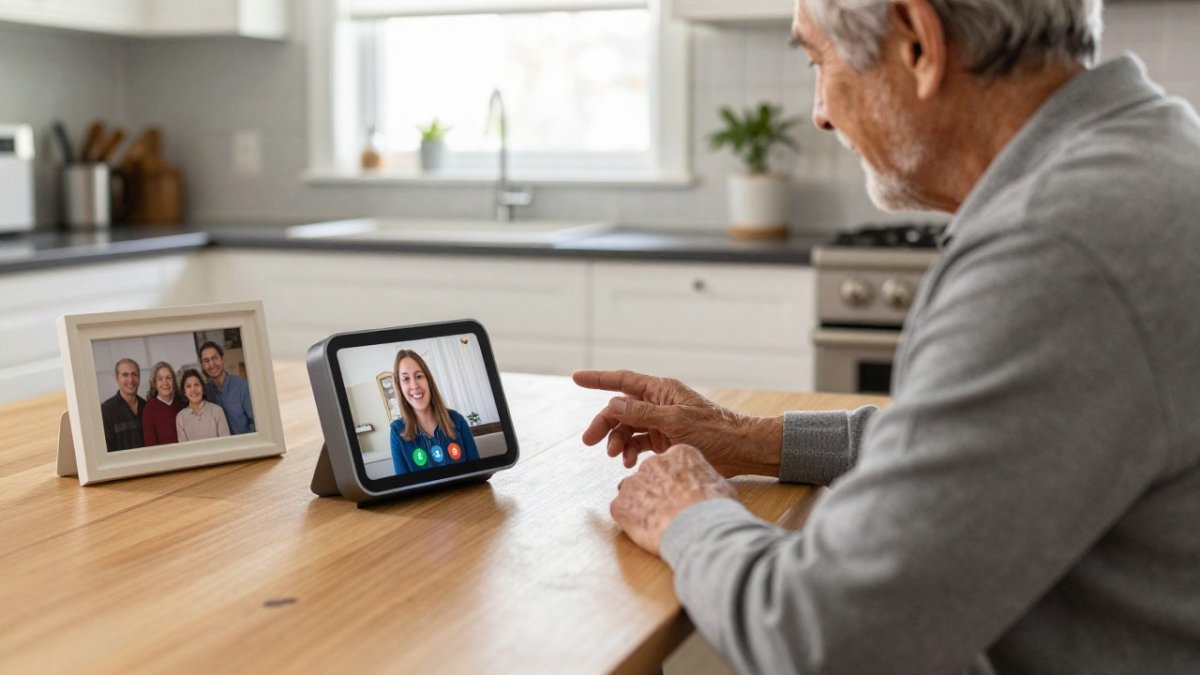
Our selection checklist:
- Does your parent prefer voice only, or do they benefit from a screen?
- Will they use video calling with family?
- Is the room bright enough for a display to be readable?
- Does the device support the smart home devices already in the home?
- Is the setup simple enough for them to use alone?
For a deeper look at one popular option, our Amazon Echo Show for seniors review covers pros, cons, and who it suits. If you are weighing a different brand, our Google Nest Hub for seniors review shows how the two compare before you commit.
Alexa for Seniors Who Fall: What It Can and Cannot Do
Alexa for seniors who fall is a common search, and the honest answer is that a standard Echo device is not a medical alert system. It can call for help if your parent can speak a command, but it cannot detect a fall on its own.
What Alexa can do:
- Place a call to a family member by voice
- Send an announcement to other devices in the home
- Run a routine that contacts a caregiver
What it cannot do:
- Detect a fall automatically
- Call emergency services without a voice command or a linked service
- Replace a dedicated medical alert system with fall detection
Relying on a voice assistant alone may leave a gap in fall safety, since a device cannot act if the person cannot speak. Families with a real fall risk should discuss dedicated fall-detection options with a qualified professional.
The Best Alexa for Seniors With Dementia
For a person with dementia, simpler setups with few commands and clear routines are generally easier to use. A caregiver can set these up in advance. Discuss appropriate support levels with a healthcare professional.
For memory impairment, consistency matters more than features. Set up a small number of routines and keep the wording the same. Our guide to smart home devices for dementia covers how voice assistants fit alongside GPS trackers and other tools.
Total First-Year Cost: A Realistic Example
A realistic first-year budget separates the one-time device cost from any optional subscription. Because pricing changes and varies by model, we do not quote a single figure here. Instead, use this framework, fill in the current retail price for the model you choose, and confirm current prices with the seller before you buy.
| Cost Item | One-Time or Recurring | What to Confirm |
|---|---|---|
| Echo device | One-time | Current retail price for the model |
| Internet | Recurring | Existing home Wi-Fi is usually enough |
| Basic Alexa | Free | No monthly fee |
| Care subscription | Monthly or annual | Current availability and price |
| Optional accessories | One-time | Stands, mounts, extra speakers |
Add the device price to twelve months of any subscription you choose. That total is your realistic first year. For a wider view of pricing across senior tech, our senior living technology buying guide compares categories side by side.
A Worked Example You Can Adapt
Device prices and subscription rates change, so use the method below with current prices from the seller or provider. Suppose a mid-range Echo speaker or display costs $X at checkout, and the paid subscription you are considering costs $Y per month. Your first-year total is:
- Device: $X (one-time)
- Subscription: monthly rate × 12, or the annual rate if it is lower
- Sales tax: confirm the rate that applies in your state and locality for the device and any subscription
- Accessories: $0 if you skip them, or the current price of a stand or mount
If you choose the free tier only, your first-year total is simply the device price plus tax.
Monthly Versus Annual Billing
Some subscription services offer a discount for annual payment. Check the refund and cancellation terms before you choose a billing period. For a senior-care subscription you are testing, start monthly, confirm the features work as expected for a full month, and switch to annual only after you are satisfied.
Watch out: a free trial may convert to a paid plan (Getting In and Out of Free Trials, Auto-Renewals, and Negative Option Subscriptions). Note the trial end date and check the terms before it ends.
What the Total Does Not Include
Two costs sit outside the device-and-subscription math. First, internet service: if your parent does not already have home Wi-Fi, adding it is a recurring cost to budget for. Second, a dedicated medical alert service if fall detection is a real need. That is a separate product with its own fees, and it should be budgeted separately from the Alexa total.
Lay the numbers out this way and the monthly question resolves into something concrete: a one-time device purchase, a recurring internet bill your parent may already pay, and an optional subscription you can choose or decline.
Privacy, Consent, and Data Handling You Should Know
Privacy and consent deserve a real conversation before setup. A voice assistant listens for a wake word, and recordings may be stored depending on account settings (How To Secure Your Voice Assistant and Protect Your Privacy). For an older adult, the person whose home it is should understand and agree to how the device works.
Steps we recommend:
- Review the privacy settings together, not for them
- Turn on the mute button when privacy matters
- Agree on who can access the account
- Explain what is recorded and how to delete it
The Federal Trade Commission’s guidance on connected devices and privacy is a useful plain-language starting point for families. Consent is not a one-time step either. Revisit it as needs change.
How to Set Up Alexa for a Parent Who Lives Far Away
Remote setup is easier than most families expect. You can configure the device during a visit, or guide your parent through it by phone. The goal is a working device they can use without you in the room.
A simple setup sequence:
- Connect the device to the home Wi-Fi
- Link it to an Amazon account you both can access
- Set up calling and Drop In between your devices
- Create two or three routines for reminders
- Test a call together before you leave
- Label the device clearly
For ongoing oversight, our step-by-step guide to monitoring elderly parents remotely walks through the wider setup. Remote monitoring works best when the technology is simple and the family checks in regularly.
The challenge with Alexa for seniors is not the device. It is separating free features from paid services and knowing which care features still exist. At ElderLivingHub, we do that work for you with independent reviews, clear pricing breakdowns, and ease-of-use testing built for real families. Get started with ElderLivingHub and choose senior care technology with confidence.
Frequently Asked Questions
Is Alexa free if I have Amazon Prime?
Basic Alexa use does not require a monthly subscription. Check the current terms with the provider for any features you plan to use. You pay for the device itself and for any optional subscriptions you choose.
Does Alexa have a monthly fee for senior care features?
Basic Alexa use has no monthly fee. Confirm current service availability and pricing for any senior-focused add-on directly with the provider, since offerings change. A separate medical alert system is a distinct product that may carry its own fees.
Can Alexa call for help if a senior falls?
A voice assistant is not a medical alert system and may not detect a fall on its own. For fall detection and urgent response, discuss dedicated options with a qualified professional.
Can Alexa be used for seniors with dementia?
Voice assistants may support daily routines for some people with memory impairment, and a family member or caregiver can help set them up in advance with simple commands. Because dementia needs vary, talk with a healthcare professional about what level of monitoring is appropriate, and consider pairing Alexa with caregiver check-in tools.