Best Independent Senior Technology Reviews 2026
Table of Contents
- Why Independent Senior Technology Reviews Matter in 2026
- How to Spot a Truly Independent Review Source
- Quick Comparison: Top Independent Review Platforms for Senior Technology
- ElderLivingHub: Expert, Family-Focused Reviews for Senior Care Technology
- Best Medical Alert Systems 2026: What Independent Reviews Reveal
- How to Choose Technology for Aging Parents: A Step-by-Step Framework
- Smart Home Monitoring for Elderly: What the Best Reviews Look For
- Cost Transparency and Transition Support: The Angles Most Reviews Miss
- Conclusion: Making Confident Decisions with Independent Reviews
- Frequently Asked Questions
Last Updated: October 4, 2026
Why Independent Senior Technology Reviews Matter in 2026
Independent senior technology reviews are evaluations of medical alert systems, smart home monitors, and daily-living devices produced by sources with no financial stake in which product you buy.
At ElderLivingHub, we built our review process around one question: would we trust this device for our own parents?
Below: how to spot a genuinely independent review source, which platforms earn that label, and how to choose technology for aging parents.
How to Spot a Truly Independent Review Source
A truly independent review source discloses how it makes money, explains its testing method, and recommends products it doesn’t sell. Three signals separate real reviews from affiliate content:
- Disclosure: The site states plainly whether it earns commissions and whether that affects rankings.
- Method: It describes how products were evaluated, not just what the specs say.
- Consistency: It publishes negative findings, not only praise.
A common mistake is trusting a review because it looks thorough. Length is easy to fake; testing is not. Look for hands-on evaluation, ease of use for someone over 80, and performance when the user barely uses email.
If a review site never names a single drawback, it’s almost certainly paid placement. The consequence: you buy a device tuned for a spec sheet, not for your parent’s actual daily routine.
Quick Comparison: Top Independent Review Platforms for Senior Technology
The table below summarizes the platforms we consider genuinely useful and where each falls short.
| Platform | Best For | Coverage | Main Limitation |
|---|---|---|---|
| ElderLivingHub | Senior care technology devices | Medical alerts, smart home monitoring, ease of use | Device-focused, not facility ratings |
| U.S. News & World Report | Facility ratings | Independent living, assisted living, memory care | Not consumer technology |
| A Place for Mom | Peer-reviewed communities | Independent living awards | Community living, not devices |
| Seniorly | Cost comparison | Care types and pricing structures | Limited device coverage |
| Senioridy | Care-level education | CCRC vs. independent living | Light on technology |
| HelpAny | Trend analysis | AI and fall-prevention tech | Blog format, no product database |
| Assisted Living Magazine | Regulatory data | Inspection records, amenities | Regionally focused |
| MyLivingChoice | Quick facility checks | Community listings | No deep device reviews |
ElderLivingHub: Expert, Family-Focused Reviews for Senior Care Technology
Our top pick for senior technology reviews is ElderLivingHub, a platform built for the person actually doing the buying: the adult child researching devices from three hours away.

What Sets ElderLivingHub Apart
Most review sites serve two audiences and end up serving neither. ElderLivingHub writes for families, which changes what gets tested.
- Every review evaluates ease of use for seniors and remote caregivers, not just features.
- We analyze pricing and total cost of ownership, including equipment fees that other reviews bury.
- Content is written for adult children managing care from a distance.
When comparing any two devices, check the return window before the monthly fee. A device with a higher subscription but a 30-day return policy costs less to try than a cheaper one you’re stuck with.
Best Medical Alert Systems 2026: What Independent Reviews Reveal
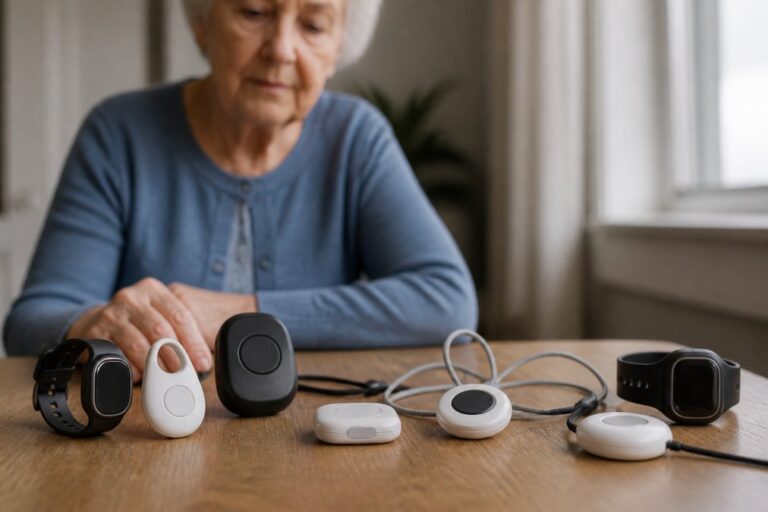
The best medical alert systems in 2026 work without the user remembering to charge them, wear them, or press the right button. Independent reviews consistently find the fanciest features matter less than whether the device gets worn at all, a $40-per-month pendant in a drawer protects no one.
What separates a useful review from a spec-sheet recap is whether it explains the mechanisms behind each claim.
The four device categories, and who each one fits
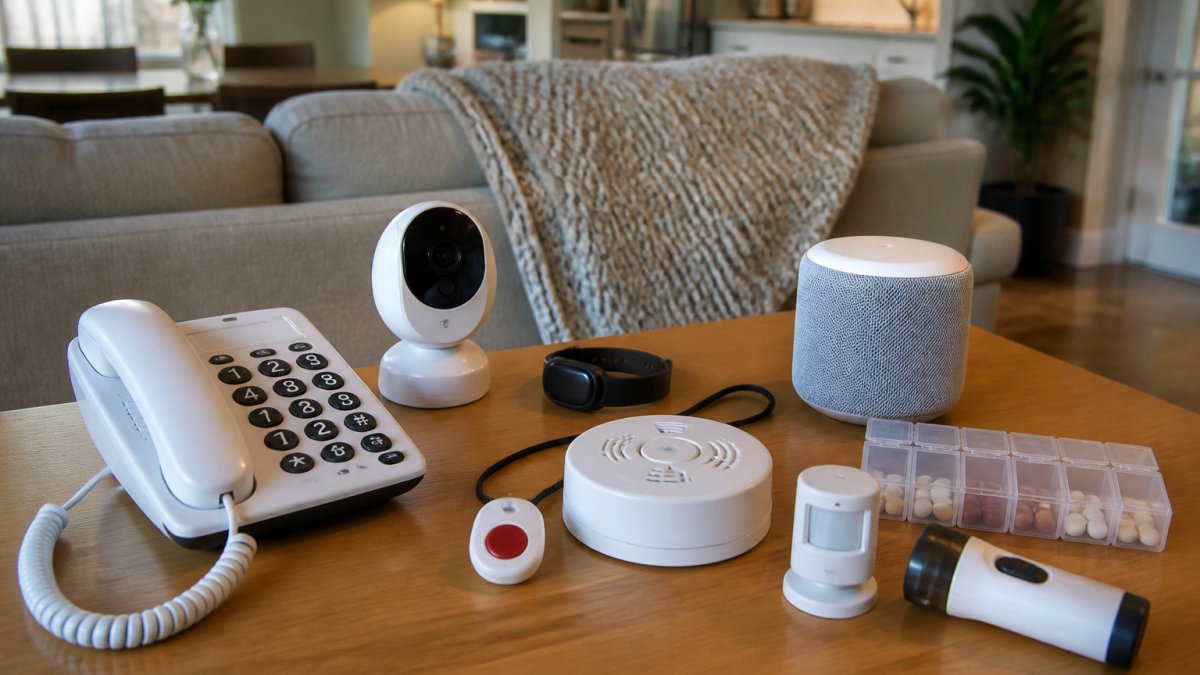
- In-home landline or cellular base units. A base station plugs into a phone line or uses its own cellular connection, and a wearable pendant triggers a call to a monitoring center. Best for a parent who rarely leaves home; the pendant only works within a few hundred feet of the base.
- GPS-enabled mobile units. These work anywhere with cellular coverage and let a monitoring center locate the wearer. Best for a parent who still drives, walks the neighborhood, or has a wandering risk. The trade-off is battery life, most need charging every one to three days.
- Cellular-only home systems. No landline required, which matters as more households drop traditional phone service. Confirm the unit’s carrier and whether coverage is strong at the parent’s specific address, not just the ZIP code.
What independent reviews actually test
When reading a medical alert review, look for these points, and treat any review that skips them as a summary, not a test:
- Battery life and charging routine. A device needing nightly charging ends up in a drawer. Ask whether the review measured real-world battery drain or repeated the manufacturer’s claim.
- Fall detection accuracy. Fall detection is not the same as fall notification. Ask whether the review tested it with real falls (or a test dummy) and how many false positives it logged; fall detection typically adds several dollars per month.
- Response time and monitoring center practices. Who answers, how quickly, and what happens if the wearer doesn’t respond? Ask whether the center is owned or outsourced, and whether it’s certified by a recognized monitoring standards body.
The pricing structure nobody explains
Most roundups quote a single monthly number. In practice, medical alert pricing has four components, and the headline rate usually reflects only the first:
- Equipment cost, either a one-time purchase or a monthly rental.
- Monitoring fee, the recurring charge for the response center, typically billed monthly or annually.
- Activation or setup fee, a one-time charge some providers waive and others don’t.
- Add-ons, fall detection, GPS, a second wearable for a spouse, or a lockbox for emergency access.
A common mistake is buying on the monthly price alone. Total cost of ownership is what matters. Ask each provider for a written breakdown of all four components, and confirm whether the quoted rate is introductory and increases after the first term.
The question most reviews never ask
Ask the reviewer directly: how often did the device trigger incorrectly? A system that calls family members every time your parent naps in a chair gets disabled within a month, and a disabled system is worse than none because it creates false confidence. False-alarm frequency is the best predictor of whether a device is still in use six months later, and almost no roundup publishes it.
How to Choose Technology for Aging Parents: A Step-by-Step Framework
Step 1: Define the specific risk. Is the concern a fall, a missed medication, wandering, or simply isolation?
Step 3: Set a realistic budget. Include equipment, monitoring, and any activation costs, and confirm current rates directly with each company.
Step 4: Check the setup and support process. Ask who troubleshoots when something breaks and whether that person is you.
Step 5: Trial before committing. Start with the shortest contract available.
Site Visit Checklist for Evaluating Senior Technology
Use this checklist during any in-person or virtual demo:
- Can my parent operate the primary function without help?
- Is the display text large enough to read without glasses?
- Does the device work if the power or internet goes out?
Smart Home Monitoring for Elderly: What the Best Reviews Look For
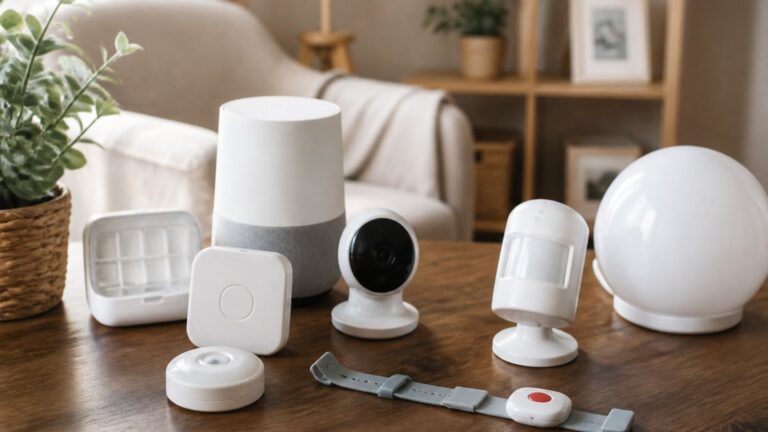
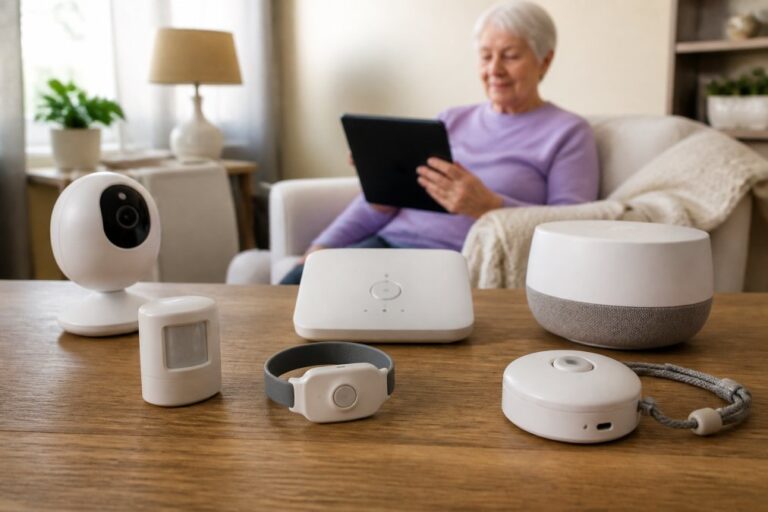
Smart home monitoring for elderly users is only as good as its privacy protections and its tolerance for imperfect routines.
Passive monitoring systems, the kind that learn a routine and flag deviations rather than requiring button presses, are gaining ground. Trend analysis from HelpAny’s 2026 senior living trends report points to privacy-first AI and proactive health monitoring as the direction the category is heading.
What most guides miss is the false alarm problem. A system that calls family members every time your parent naps in a chair gets disabled within a month. Ask reviewers directly: how often did it trigger incorrectly?
Cost Transparency and Transition Support: The Angles Most Reviews Miss
Cost transparency and transition support are where nearly every review platform falls short, and the two things families actually struggle with after the purchase, often derailing an otherwise good decision.
Cost transparency: the four numbers to ask for
No review site should quote a firm number without a date and source, because senior technology pricing changes often and varies by plan, contract length, and add-ons. What a useful review can do is tell you which numbers to demand. Ask every provider for these four in writing:
- The recurring monitoring or subscription fee, and whether the quoted rate is introductory or locked for the contract term.
- One-time costs, equipment purchase or rental, activation, installation, and shipping.
- The cancellation and return terms, the return window, any restocking fee, and whether the contract auto-renews.
- The add-on menu, fall detection, GPS, extra wearables, or a second user, each priced separately.
A common pattern: the advertised monthly rate is the lowest tier, with the features families actually want, fall detection, mobile GPS, priced as add-ons that can double the effective monthly cost. Compare total cost over the expected period of use, not the first month.
For families weighing a move into a community rather than a device purchase, the same logic applies to monthly service fees, entrance fees, and what the fee includes.
Transition support: the logistics nobody plans for
Moving a parent onto a new device or into a community with new technology involves more than setup: downsizing decisions, caregiver coordination, and often a period of resistance. The best review in the world won’t help if the transition plan is missing.
A practical transition sequence looks like this:
- Start with the person, not the product. Ask what your parent is willing to change before buying anything. A device requiring a new daily habit will fail if the habit isn’t agreed to in advance.
- Downsize in stages. Sorting a lifetime of belongings is the biggest emotional barrier to a move. Begin with one room or category at a time, and involve your parent in decisions about what stays.
- Coordinate the care circle. Write down who is the primary contact, who handles troubleshooting, and who is the backup. Devices fail at the worst moments, and a written plan prevents the ‘I thought you were handling it’ problem.
Budget time for the adjustment period, not just the purchase. The families who struggle most are the ones who treated the transition as a transaction instead of a process.
The regulatory layer families should understand
Regulatory context matters here too. Communities and care providers operate under state and federal oversight, and the U.S. Department of Health and Human Services publishes resources on long-term care options that help families understand what’s regulated and what isn’t. For technology specifically, the U.S. Food and Drug Administration classifies some health monitoring devices as regulated medical devices, which affects what claims a manufacturer can legally make, a useful filter when a product’s marketing promises more than its clearance allows.
Conclusion: Making Confident Decisions with Independent Reviews
The hardest part of this process isn’t finding a device. It’s trusting that the source recommending it has your parent’s interests ahead of its own commission.
ElderLivingHub exists for exactly that reason. We research and evaluate senior care technology with a focus on ease of use for seniors and remote caregivers, total cost of ownership, and family-focused guidance for adult children managing care from a distance.
Get started with ElderLivingHub and make a care decision you can stand behind.
Frequently Asked Questions
What are the most reliable sources for independent senior technology reviews?
Look for platforms that disclose their testing methodology and do not accept payment for placement. ElderLivingHub tests products with real seniors and evaluates ease of use for both the senior and the remote caregiver. Other credible sources include U.S. News & World Report for facility ratings and HelpAny for technology trend analysis. Avoid sites where every product gets a positive review or where affiliate links are not clearly labeled.
How do I choose the best medical alert system for my aging parents?
Start by assessing your parent’s daily routine, fall risk, and comfort with technology. Look for systems with multiple contact options, waterproof wearables, and no long-term contract requirements. Check whether the monitoring center is certified and whether fall detection is included or costs extra. Independent reviews of the best medical alert systems 2026 can help you compare features side by side without sales pressure.
What features should I look for in smart home monitoring for seniors?
Prioritize motion sensors that learn daily patterns, voice-activated controls, and automatic alerts for unusual inactivity. Video doorbells and smart locks help with visitor management and package delivery. Ensure the system works without a smartphone for the senior, since many older adults prefer simple buttons or voice commands. Check whether the monitoring service requires Wi-Fi and what happens during an outage.
How does ElderLivingHub ensure independent testing of senior products?
ElderLivingHub evaluates products through hands-on testing with real seniors, including those with limited tech experience. The team assesses setup difficulty, daily usability, and how well remote caregivers can troubleshoot issues. Reviews include total cost of ownership analysis and note any hidden fees. The site does not accept payment for positive reviews, and recommendations reflect what the team would trust for their own family members.
What is the difference between independent living and assisted living technology?
Independent living technology focuses on safety monitoring, social connection, and convenience for seniors who manage daily tasks themselves. Examples include medical alert systems, smart home devices, and video calling platforms. Assisted living technology adds health monitoring, medication reminders, and fall detection with staff response. Some products overlap, but assisted living tools often integrate with care facility systems and require staff training to use effectively.